Assign a password to every folder you want to protect

If you're worried about unauthorised access of your files but regularly share a PC, then one of the best ways to protect yourself is by encrypting your folders.

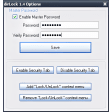
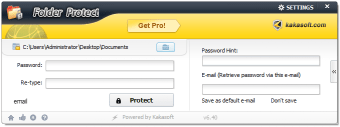
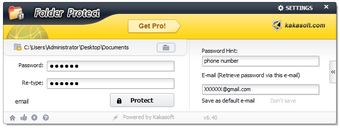
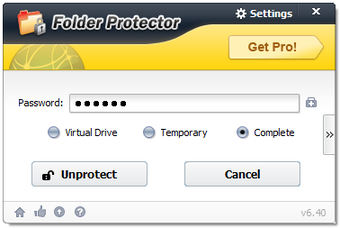
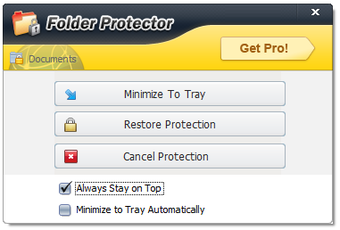
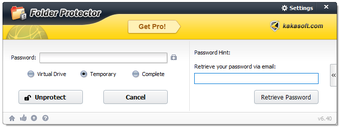
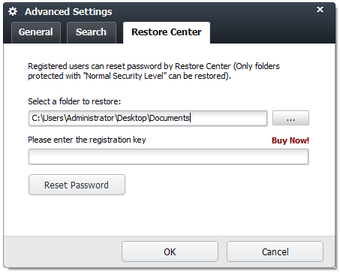
This might be a laborious and time consuming process if you've got lots of data to protect - as encryption can frequently take time - but it doesn't have to be too painful with Kaka Folder Protection. The program is fast and straightforward and once installed, you'll notice a "lockdir.exe" in your folders. Double click on this to run the program and it instantly asks you for a password to encrypt the folder. You can choose to encrypt either the current folder or an alternative folder of your choosing. The program would have been better if it installed itself directly into Windows Explorer shell and required a right click to activate but it's really no big drawback to double-click the .exe.

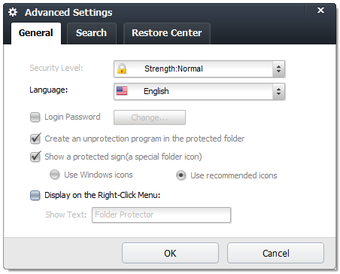
The developers claim that the program uses strong encryption technology although it doesn't reveal exactly what this is. This may cause some concern for those who are worried about the strength of the encryption. Once encrypted however, the good thing is that the folders are protected against illegal copying, deletion or adding extra files to. The program also adds a padlock symbol to protected folders so that users can immediately see what is protected and what isn't it - which is OK unless you're trying to protect files discreetly.

A simple and easy to use program that doesn't reveal what kind of encryption it uses but should be enough for most home users.

Changes

Bug fixes
  • Pros

    • Easy to use
    • Protect folders from copying, deletion or adding to
  • Cons

    • Doesn't reveal encryption method
    • Not integrated into Windows Explorer shell
 0/8

App specs

Program available in other languages


User reviews about Folder Protector (LockDir)

3.4

3 reviews

Add review

Main reviews for you

  • Anonymous user

    Nice, powerful basic apps. Pros1. Beautiful, Simple and Easy to Operate.Cons.If you have a dual boot PC with Linux, basically you still can access encrypted folder content by logon into Linux and access the file. Pros: Protect a single or multiple folder at once Cons: Venurable. Still can reach content in encrypted folder. If you have dual boot with Linux, you still can access the file from Linux

  • Anonymous user

    As it keeps my file safe i can sleep in peace. i like it,since it is secure and i like softonic, i hope its viruses free and always softonic dnt have viruses

  • Anonymous user

    Better than expected, the cons are outdated here.. The Cons and the version number have to be updated, because in the current version (5.74) there IS an Explorer Integration.After you have understood the logic of the tool, it is easy to use and has nice features.For me currently the only acceptable freeware alternative to the commercial tools. Pros: Quick handling.No installation.Explorer integration.Works across windows installations, I think. Cons: You cannot keep a list of all of your protected folders. They are spread all over your hard drive. If you want to e.g. backup them, you have to disable protection on each of them separately.

More

You may also like

Alternatives to Folder Protector (LockDir)

Explore Apps

Latest articles

Laws concerning the use of this software vary from country to country. We do not encourage or condone the use of this program if it is in violation of these laws.
Softonic

Is Folder Protector (LockDir) safe?

99/100

Score result: Clean

This file passed a comprehensive security scan using VirusTotal technology. It is safe to download.

  • Virus free
  • Spyware free
  • Malware free
  • Verified by Security Partners

    VirusTotal logo

Scan Info

Last scan
Friday, December 29, 2023
Scan provider
VirusTotal

Softonic security commitment

Folder Protector (LockDir) has been thoroughly scanned by our advanced security systems and verified by industry-leading partners. This file comes from the official developer and has passed all our security checks, showing no signs of viruses, malware, or spyware. For more information, visit our Security and Trust Center